Plateroom
AI prepress for print shops

Prepress, done before you open the file.

Drop the customer file, type the work order the way you already write it — plated, press-ready output comes back in seconds, with the reprint-causing errors caught first.

No card required · sample jobs loaded so you can try it in 60 seconds · built with a working Minuteman Press shop

it reads the work order like a human
New job — 44-page booklet
1 · Customer file
booklet-proof.pdf · 44 pages
2 · The work order — typed like a human
Item: Booklet
Flat: 11 x 8.5 · Finished: 5.5 x 8.5
Bindery: Saddle-stitch

Turn into a 44-page saddle-stitched
booklet. Plate 2-up on 12x18,
0.25" gutter. Send: booklet, plate.
Plateroom engine · job 0834 0%
Preflight — RGB converted to CMYK · press profile
Fonts — 2 unembedded → embedded
Bleed — none found → built 0.125" from the edge art
Booklet — 44 reader pages → 22 printer spreads
Impose — 2-up on 12×18 · crop marks at 0.125"
Utilization — 87% of the sheet becomes product
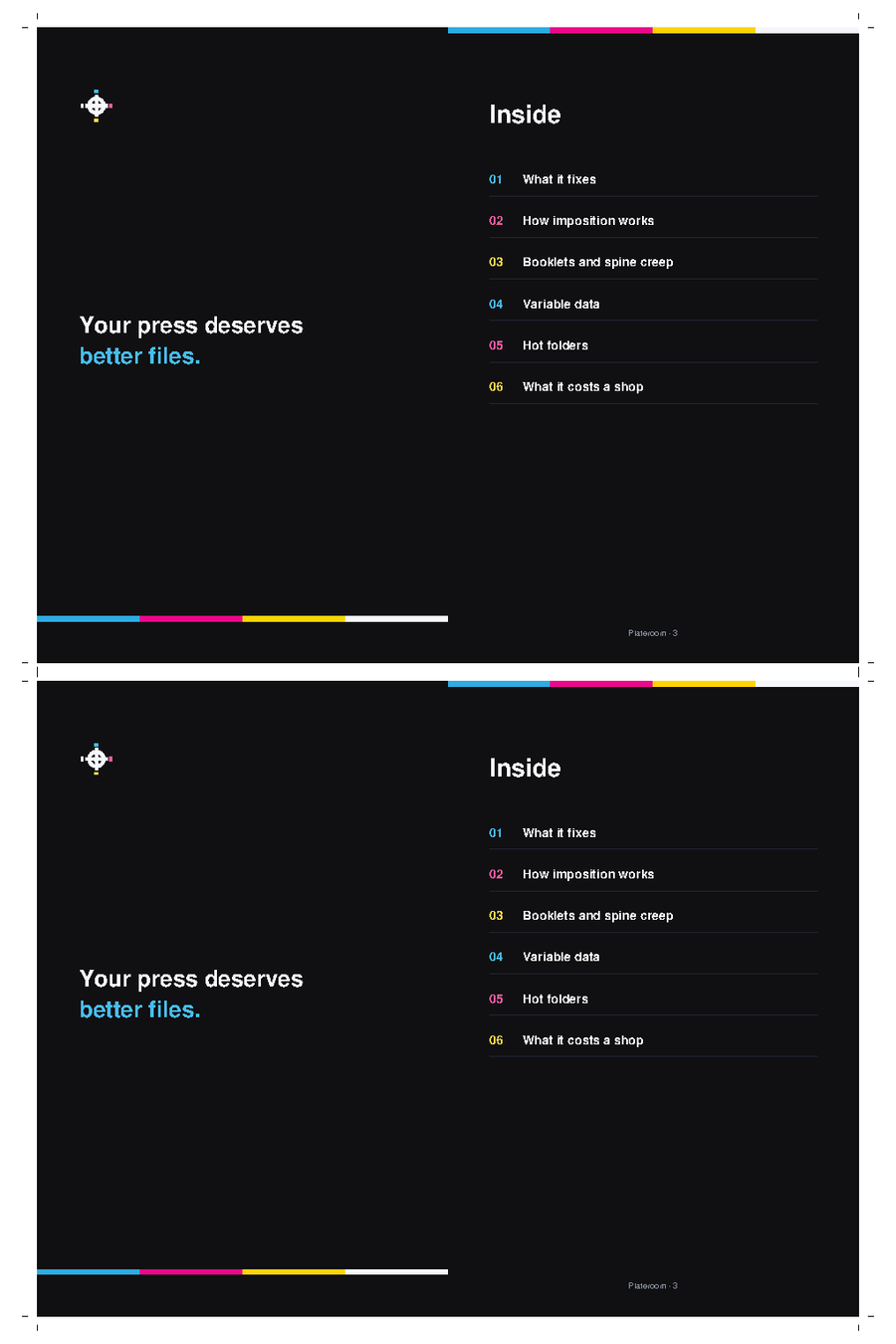
The actual 12×18 press sheet: Plateroom's own 44-page brochure imposed 2-up with crop marks
Done · 8.4 seconds
12×18 press sheet · 22 printer spreads · 87% utilization
Delivered
plate.pdf
the press sheet — ready to RIP
booklet.pdf
printer spreads — folds & reads correctly
What it read
Saddle-stitch booklet 12×18 0.25" gutter booklet + plate

That sheet is our own 44-page brochure, plated by the engine that made this page. Customer files never appear here — see the FAQ.

↑ That drop zone is real — drop one of your customer files for a free instant check. No signup, no card.

60+
real customer jobs run in beta
17
job types — booklets to EDDM to table tents
~9s
from customer file to plated sheet
0
guesses — anything uncertain is flagged for your operator, never pressed
How it works

From customer file to plate, automatically

STEP 1

Drop the file + work order

Upload the customer's PDF and paste the job exactly how you'd write it — "44-page saddle-stitch booklet, plate 2-up on 12×18." No forms.

STEP 2

AI fixes & imposes it

Preflight, CMYK, fonts, bleed, low-res images and logos — then the imposition: n-up, front/back, or full saddle-stitch booklet, plated to your sheet.

STEP 3

Get press-ready files

Download the fixed file and the plated sheet — with any judgment call (overprint, bleed, soft image) flagged for your operator to eyeball before press.

See the output

The order goes in. The plate comes out.

Three jobs, exactly as the engine ran them — the typed order, the customer file, and the press-ready sheet it returned.

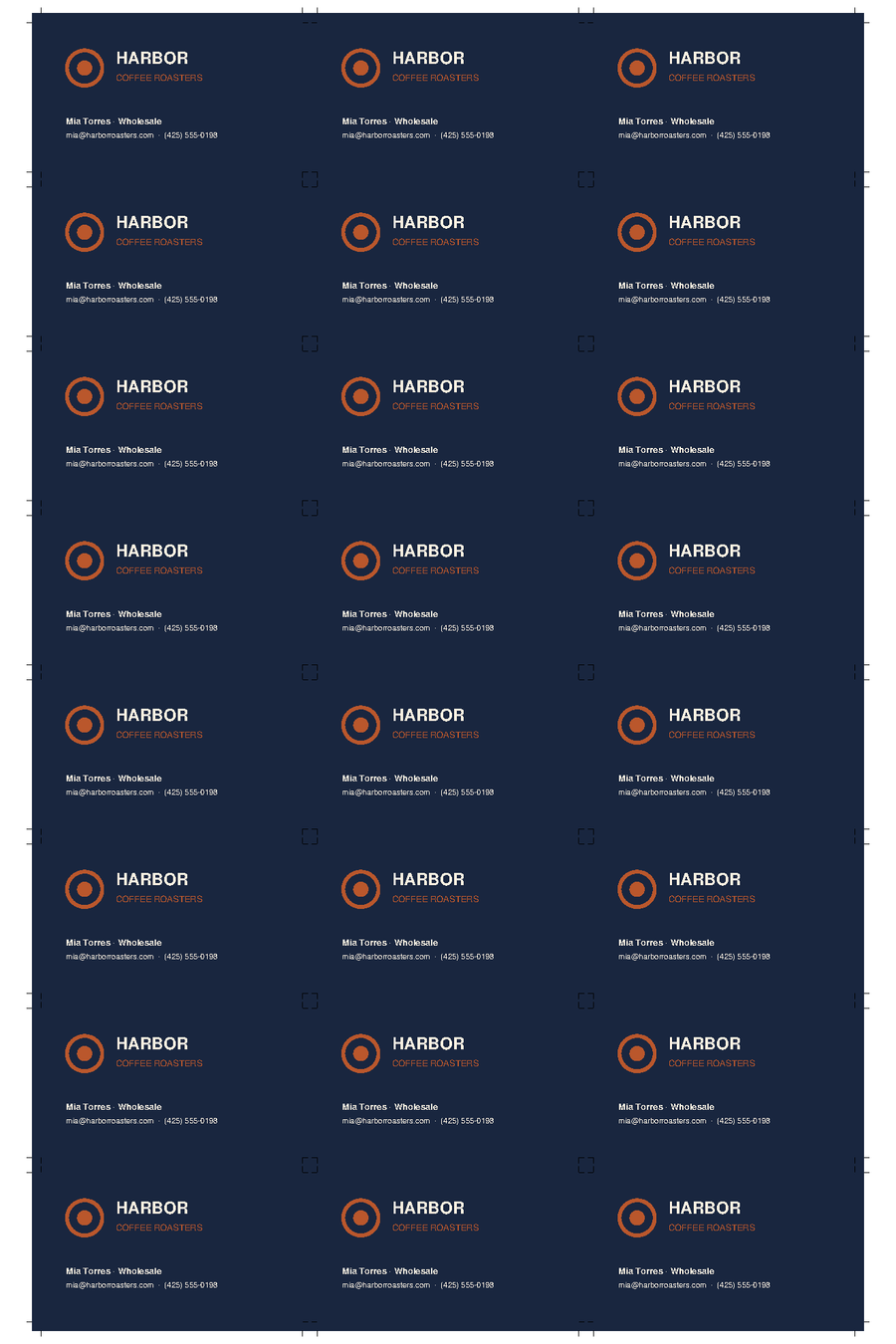
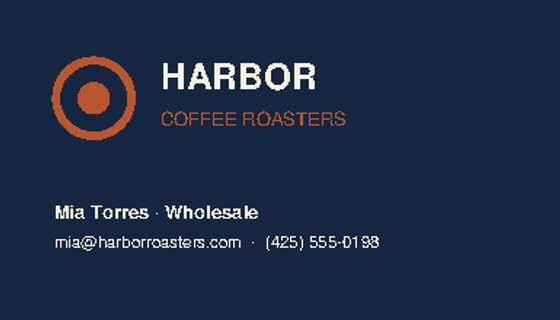
24-up business card gang on a 12×18 press sheet with crop marks The single business card file the customer sent

"500 business cards 3.5x2, gang on 12x18"

→ 24-up, crop marks, bleed carried through · 78% of the sheet becomes product · 21 sheets for the run

5×7 show flyers imposed 4-up front and back on a 12×18 sheet The gig poster design file

"500 5x7 show flyers, double sided, plate on 12x18"

→ 4-up, fronts one side, each back mirrored behind its own front — duplexes correctly, no guessing

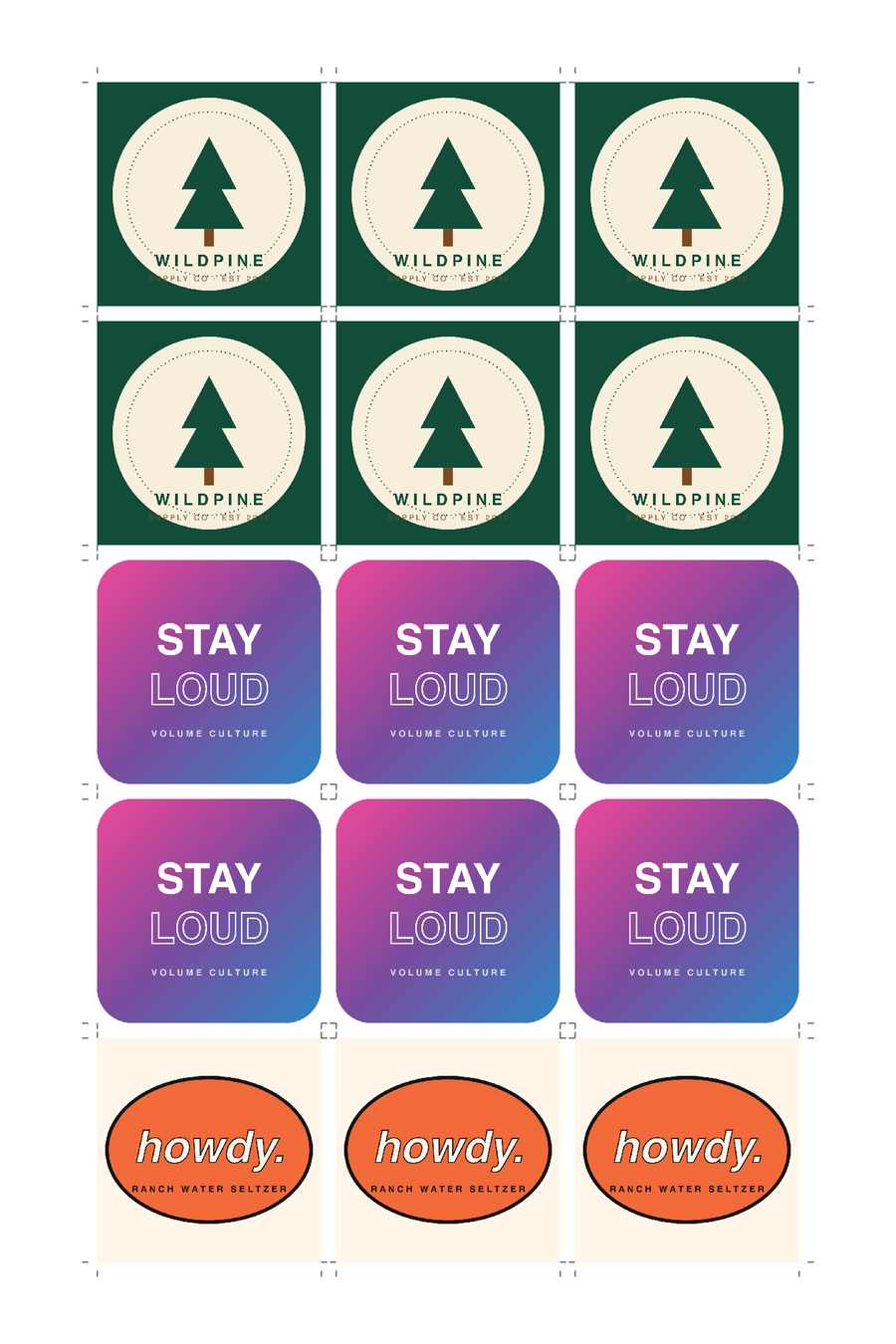
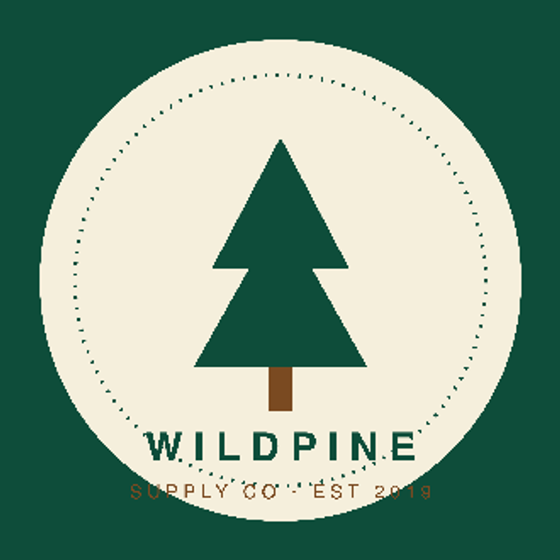
Sixteen different sticker designs ganged onto one 12×18 sheet with crop marks One of the sticker designs

"sticker pack, 3x3 each, gang the whole set on 12x18"

→ a full sticker set ganged in cutting order — grouped bands, every crop mark placed, fewer cutter setups

What it handles

The whole prepress bench

Preflight & auto-fix

RGB→CMYK, embed fonts, bump hairlines, apply the press-quality preset — every file, automatically.

Logos → vector

Detects a pasted low-res logo and rebuilds it as crisp vector art — without touching the rest of the file.

Image upscaling

Low-res photos bumped toward 300 DPI so they print clean instead of jagged — flagged when they're too far gone.

N-up & variable data

Place cards, tickets, name tents — every page laid up across the sheet, max-fit, with crop marks and bleed.

Saddle-stitch booklets

Reorders reader pages into printer spreads with spine-creep compensation for your paper caliper — folds, trims, and reads correctly.

Bleed & overprint checks

Catches missing bleed and risky overprint and flags them for your operator — the errors that cause reprints.

Hot folders

Point our watcher at a folder on the shop machine. Files dropped in get processed with that folder's standing work order — plates ready by morning.

Variable data merge

Upload a template and a CSV — name tents, badges, direct mail. Every record filled, flattened, and imposed n-up in one job.

Batch toolbox

Merge files, extract page ranges, pad blanks for duplexing, force to standard sizes — and locked customer PDFs come out unlocked.

What it runs

Digital. Offset. Wide format.

One engine, plated the way your press wants it — and the everyday jobs it has already run in a working shop.

Digital

The daily default

12×18, 13×19, SRA3 — any sheet your machine runs, with your gutters and crop marks. Booklets plate one signature per sheet, so collated sets come off the press, get one cut, and fall together in order.

Offset

Say "offset" and it replates

Signatures gang onto one image for long identical runs, total ink coverage is checked against your TAC limit, and registration marks + CMYK color bars draw into the margins on request.

Wide format

Posters & signage, prepped

Preflight, resize to the stated finished size, bleed built from the edge art, resolution checked — on any sheet size you name. Your RIP keeps doing the roll-media layout; we hand it clean files.

Run in a working shop during beta
Business cardsPostcards & mailersEDDMSaddle-stitch bookletsMenusFlyers & brochuresTable tentsGreeting & folded cardsEnvelopesNCR padsStickers & labelsPostersName tents & badges (VDP)Photo printsMulti-version gangs
Always improving

Shipping speed is a feature

Corrected daily by a thirty-year prepress veteran — when the shop finds something, the fix usually ships the same day. The latest three, straight from the changelog:

the difference

Just tell it the job — in plain English

An 8-page booklet plated by hand: open the file, check the page order, build the signature, mind the creep, place the marks — twenty minutes when nothing's weird. Here it's one typed sentence and about nine seconds. No rigid job templates to configure, no specialist to hire, no per-seat license — the work order your team already writes is the setup.

It's not a new system to roll out. Nothing migrates, nothing gets configured, nobody sits through a training day. It's a new hire: hand it one job — and hand it more once it earns them.

Fair questions

What shops ask us

Do we have to change how the shop works?+

No — that's the design rule the whole product is built on. There's nothing to migrate (no customer lists, no price books, no templates), settings ship with working defaults, and the unit of adoption is one job: run your booklets through it and change nothing else, forever, if that's what works. The deeper automation — email intake, hot folders — is there when you ask for it, never required. If a feature would make you feel like you're revamping the shop, we don't ship it.

Are my customers' files safe?+

Files are processed on secured servers, stored privately per shop (no other shop can ever see them), and never used for anything but your job. Want something purged? One email and it's gone.

Can it handle Canva files and AI-generated images?+

That's half of why it exists. RGB Canva exports get converted to CMYK, flattened files are no problem (we fix mechanically — no editing needed), missing bleed is generated automatically by mirroring the edge artwork, and a bare PNG or JPG out of Canva or ChatGPT converts straight to a print-ready PDF. Drop the file, type the size you need, done.

What if it gets a job wrong?+

Nothing goes to press without your eyes. Every job shows you exactly how the order was read before you print, and anything the engine isn't sure about — real overprint risk, missing bleed, soft images — gets flagged for a human. Re-runs are instant and free.

What sheets and presses does it support?+

Digital and offset, on any sheet you name in the work order ("plate on 13x19.5", "20x29 sheet") — with your shop's gutters, margins, and crop-mark conventions. Digital plating is the default; say "offset" and signatures gang for long runs with TAC ink-limit checks and press furniture on request. Wide-format work gets preflighted and sized clean for your RIP. Leave the sheet out and the engine picks the best fit from your usual sizes.

Do I need to install anything?+

No — it runs in the browser. If you want hot folders (drop files in a folder, plates appear), we set up a small watcher on your shop machine for you. Works on Mac and Windows.

What does it cost?+

Your first 20 jobs are free — full engine, no card, no time limit. After that it's one flat rate, posted right here: $500/mo founding rate per shop (unlimited jobs and users, no per-seat licenses, no contract; $800 list), locked for life for the first 25 shops. Multi-location groups run $1,500/mo for up to 5 shops.

Shop owners talk

People who cut paper for a living

"

Thirty years of doing this by hand, and I put its plates up against mine on a real booklet job — I'd run its sheets. It reads a work order the way my best people do, and when I told it the crop marks sat too close to the trim, the fix was live the same day. It's in my shop now.

Mike
30 years in prepress · Minuteman Press
"

We're a busy shop and I have zero patience for new systems — we've been burned before. This wasn't one. My counter person ran her first job the morning we tried it, no training, and the files came back right. It's just how we do prepress now.

Brenda Cook
Owner · Pacific Copy & Printing, Everett WA
"

I dropped a real customer file in and typed the ticket the way I'd hand it to my crew. The plates were back before I finished my coffee — and I checked them the way I check everything. They were right. Every shop I know has a pile this thing would eat.

Ken Wang
Owner · Color Printing Systems
Pricing

Flat, simple, no per-seat games

Start free, no card required. The founding rate locks in for life when billing starts — and your first 20 jobs are on us either way.

Free to start
$0 · your first 20 jobs

The full engine, not a demo. No card, no clock — your 20 jobs wait until you have time.

  • Every feature: preflight, imposition, booklets, VDP
  • Sample jobs loaded — see a real plate in 60 seconds
  • Full output every run: fixed file, plate, prepress report
  • Your own shop with your house standards from day one
Start free

Like what it does? Your shop and settings carry straight into Founding.

Founding rate — first 25 shops
Print Shop
$500 /month per shop $800

The whole prepress bench — unlimited jobs, unlimited users, no per-seat licenses, no contract.

  • Preflight & auto-fix on every customer file — CMYK, fonts, bleed, low-res
  • Imposition from a plain-English order: n-up, front/back, gang runs, cut-and-stack
  • Booklets in digital & offset styles, VDP merge, batch toolbox
  • Your house standards: sheets, gutters, margins, crop-mark conventions
  • Hot folders on your shop machine — plates ready by morning
  • Priority support + white-glove onboarding, remote
Start free

No contract, cancel anytime. If it doesn't pay for itself in saved prepress hours in month one, that month's on us.

Multi-Shop Group
$1,500 /month · up to 5 locations

For owners running multiple shops — one brain, every location cutting the same way.

  • Everything in Print Shop, at every location
  • Per-location house standards under one owner view
  • Owner dashboard across locations — every shop's jobs in one view
  • White-glove onboarding at every location, remote
  • Direct line to the founder
Talk to us

More than 5 locations? We'll build you a number.

Send us your three ugliest jobs.

We'll run them through Plateroom and send back the press-ready plates — free, no call, no setup. If the output isn't good enough for your press, you've lost nothing.

Already a shop on Plateroom? Sign in